Rolling Out SFA to Your Field Team: A 30-Day Plan Reps Will Actually Follow
Most SFA projects fail on adoption, not technology. Use this 30-day rollout plan to move field reps from paper to a mobile sales app with less resistance.
Read the insightBusiness & Technology · 4 MIN READ
Van sales means every vehicle is a warehouse, a shop and a cash desk. Here is how van sales software handles loading, selling, collections and returns in Saudi Arabia.
Every van in your fleet is three things at once. A warehouse, because it carries stock. A shop, because the rep sells from it. And a cash desk, because money changes hands at every stop.
Most distributors manage the warehouse side well. It is the other two that cause the late nights.
In a pre-sales model, a rep takes an order and the back office does the rest. In van sales, the rep does it all, at the customer's door, often in a basement or a narrow street with one bar of signal. They need to:
Then do it again thirty times before evening. Any step done on paper is a step that can go wrong.
Good van sales software follows the rep's actual day. Here is what that looks like.
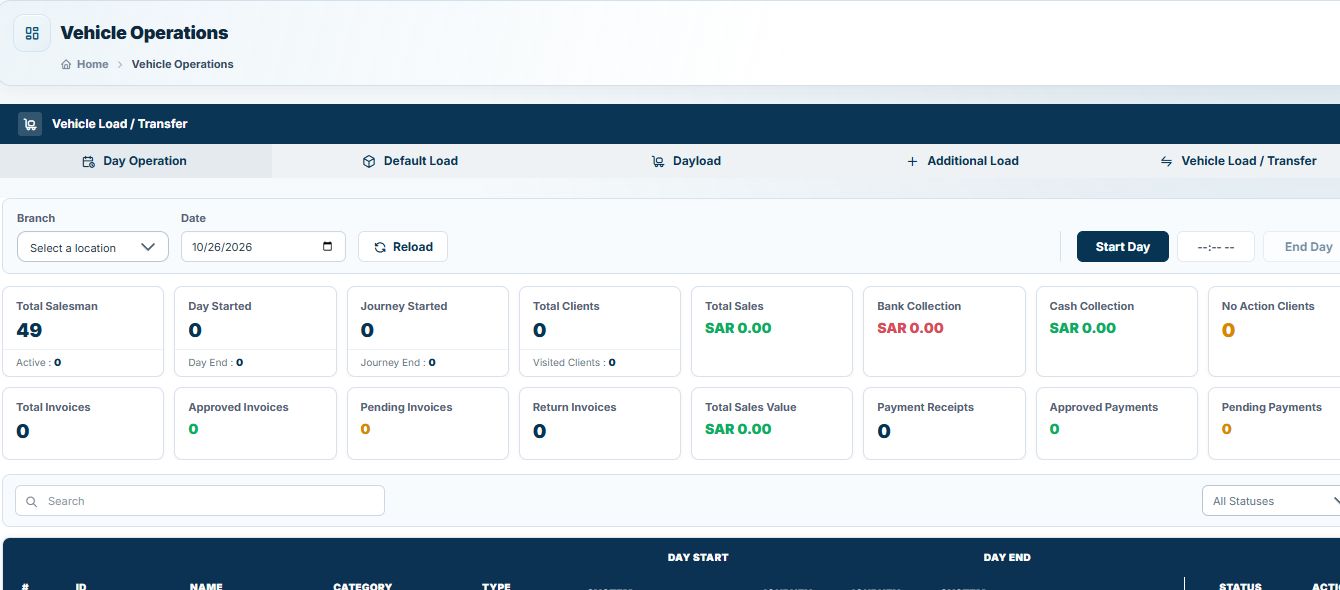
The day starts with a load request. The warehouse issues stock to the van, and the app records it as the van's opening stock. No more counting cartons into a notebook.
The rep starts the day in the app. The journey plan shows today's customers in sequence, and the start time and location are logged automatically.
At each stop the rep checks in, sees the customer's balance and credit limit, and builds the sale from the van's live stock. Customer-specific prices and active promotions are applied by the system. VAT is calculated. The rep cannot sell what is not on the van.
The rep issues the invoice and prints it on a Bluetooth printer. In Saudi Arabia that invoice must meet ZATCA Phase 2 rules, including the QR code and cryptographic stamp. The customer signs on screen if needed.
If the customer pays, the rep records cash, cheque or transfer and links it to the invoice or to older open invoices. A numbered payment receipt is printed. Finance sees it the moment the phone syncs.
Damaged or expired goods come back on the van with a credit note issued on the spot. Stock and the customer's balance update together.
Back at the depot, the rep runs end-of-day reconciliation. The app compares opening stock, sales, returns and closing stock, and totals the cash and cheques to hand over. Differences show up today, not at month end.
NobleSFA treats every van as a moving warehouse. Reps load, sell, invoice, collect and return from one app, online or offline. Credit limits, credit days and promotions are enforced by the system. Invoices are ZATCA Phase 2 compliant and print over Bluetooth. Managers see every van, visit and payment on a live map and dashboard, and the data flows to NobleERP or your existing ERP.
Running vans on paper or spreadsheets? Talk to an expert and we will map your current van sales day onto NobleSFA.
In pre-sales the rep takes an order and delivery happens later. In van sales the rep sells and delivers from the vehicle immediately, so invoicing and collection happen at the same visit.
Yes. Many distributors let van reps also take orders for items they are not carrying, delivered on a later run.
Stock issued from the warehouse is recorded as a load against the van. Every sale, return and transfer updates the van's balance in real time.
With proper backup and sync, the rep logs in on another device and continues. Synced invoices and receipts are already safe in the back office.
Have a question about putting this into practice?
Talk to the TechQode team ↗KEEP EXPLORING
Most SFA projects fail on adoption, not technology. Use this 30-day rollout plan to move field reps from paper to a mobile sales app with less resistance.
Read the insightChoosing sales force automation software? Use these 12 questions on offline mode, ZATCA, ERP integration, invoice numbering, support and pricing to compare SFA vendors.
Read the insightA practical end-of-day checklist for van sales teams: reconcile van stock, cash, cheques, returns and invoices before the rep leaves the depot, and stop month-end surprises.
Read the insightBEFORE YOU GO
Tell us what is slowing your business down. In a focused 15-minute consultation, we’ll help you see the clearest way forward.